
Refurbished Laptop in Gurgaon: The Complete Buyer’s Guide
Walk through Cyber City on a weekday morning and you’ll see thousands of people heading into offices, nearly all of them carrying a laptop. Now think about what happens to those laptops every few years, when companies upgrade their fleets. A large number of them don’t go to scrap. They get collected, tested, repaired and sold again as refurbished laptops, and a good share of that stock ends up right here in the city.
That’s why buying a refurbished laptop in Gurgaon makes so much sense. The city sits on top of one of the biggest supplies of quality ex-corporate laptops in the country. You can find business-grade ThinkPads, Latitudes, EliteBooks and MacBooks at a fraction of their original price, often in better condition than you’d expect.
But more supply also means more sellers, and not all of them are equal. Some offer properly tested machines with a solid warranty. Others simply wipe a used laptop, call it “refurbished”, and hope you don’t ask questions.
This guide is written for anyone in Gurgaon (now officially Gurugram) who wants a reliable laptop without paying the new-laptop price. It covers where to look, what to pay, which models are worth it, how to inspect one in person and what paperwork to insist on. It also covers bulk buying for startups and offices, and when renting might be smarter than buying.
Why Gurgaon is one of the best places to buy refurbished
A few things about the city work in a buyer’s favour.
A steady supply of ex-corporate laptops. Gurgaon is home to the regional offices of countless multinationals, IT and consulting firms, BPOs, banks and startups. These companies typically refresh laptops every three to five years. The machines they retire are business-grade models that were built to last, which is exactly what makes a great refurbished laptop.
Lots of competition. With refurbishers, local shops and online sellers all chasing the same customers, prices stay reasonable and warranties tend to be better than in smaller cities.
You can inspect before you buy. Unlike buying from a seller in another state, you can usually visit a shop or warehouse, hold the laptop, test it and walk away if something feels off. That alone removes most of the risk.
Quick delivery and service. Many sellers based in Gurgaon and the wider Delhi NCR offer same-day or next-day delivery within the city, and doorstep pickup if a laptop needs warranty service.
Close to Delhi’s big computer markets. If you don’t find what you want locally, Delhi’s well-known computer markets are only a metro ride or a short drive away, which gives you even more choice.
Refurbished vs used: know the difference
You’ll hear both words used loosely in Gurgaon’s markets, so it’s worth being clear.
| Refurbished laptop | Used (second-hand) laptop | |
|---|---|---|
| Testing | Checked part by part, faulty parts repaired or replaced | Usually sold as-is |
| Cleaning | Cleaned inside and out, fresh OS installed | Varies, often just wiped |
| Warranty | Typically 6 to 12 months from the seller | Usually none, or a few days |
| Invoice | Proper GST invoice from a registered business | Often no bill |
| Price | A bit higher | Lowest |
If a seller can’t tell you what was tested or replaced, or won’t give a written warranty, you’re buying a used laptop, whatever the label says.
Who buys refurbished laptops in Gurgaon?
The buyers are as varied as the city itself.
- Working professionals who need a personal laptop alongside their office machine, or a reliable backup for side projects and freelancing.
- College and coaching students from Gurgaon’s many universities, institutes and coaching centres, who need something sturdy for assignments, online classes and exam prep.
- Startups and small businesses that need to set up five, twenty or fifty employees quickly without spending lakhs on new hardware.
- Work-from-home and hybrid workers who want a second laptop for home so they don’t carry their office machine back and forth.
- Parents buying a first laptop for their children’s school work.
- People new to the city who’ve just moved for a job and need a laptop fast, without a big upfront spend.
Whatever group you fall into, the buying process is the same: pick the right kind of seller, choose a sensible model for your budget, and check the laptop properly before paying.
Where to buy a refurbished laptop in Gurgaon
You have four main options. Each has its own trade-offs.
1. Local computer shops and markets
Gurgaon has several pockets with clusters of computer and laptop shops. You’ll find them in the older commercial areas of Old Gurgaon, including the Sector 14 market and the markets around Sadar Bazaar and Civil Lines, as well as along MG Road and in the busier sector markets across New Gurgaon. Many of these shops sell refurbished and second-hand laptops alongside repairs and accessories.
- Good for: Seeing and testing the laptop in person, bargaining, quick purchase.
- Watch out for: Short or verbal-only warranties, missing bills, and “refurbished” laptops that are really just used ones.
Tip: Visit two or three shops before deciding. Prices for the same model can vary a surprising amount from one shop to the next.
2. Dedicated refurbished laptop sellers
These are businesses that focus only on refurbished laptops. They buy ex-corporate stock in bulk, put it through a testing and repair process, grade it, and sell it with a written warranty. Several of them are based in Gurgaon or elsewhere in Delhi NCR and run both online stores and physical warehouses or showrooms.
- Good for: Consistent quality, longer warranties (often 6 to 12 months), proper GST invoices, options to upgrade RAM or SSD before delivery.
- Watch out for: Slightly higher prices than local markets. Some only sell online, so ask whether you can visit or get a video inspection before paying.
3. Big e-commerce platforms
The major shopping apps all have refurbished or “renewed” sections, with delivery to most Gurgaon pin codes. The biggest advantage here is the platform’s return policy, which gives you a safety net if the laptop doesn’t match the listing.
- Good for: Easy returns, convenient delivery, customer reviews.
- Watch out for: The actual seller behind the listing may be a small third party. Check the seller’s ratings, not just the product’s star rating.
4. Delhi’s computer markets
If you want the widest choice and don’t mind a trip, Delhi’s large computer markets are within easy reach of Gurgaon by metro or road. They’re especially handy if you’re looking for a less common model or need to compare many units in one afternoon.
- Good for: Massive selection, competitive prices.
- Watch out for: Crowds, pressure selling, and the extra effort of going back if you need warranty service. Get everything in writing.
Which option is best?
For most people in Gurgaon, a dedicated refurbished seller with a local presence strikes the best balance: tested stock, a real warranty, a proper bill, and the option to visit if something goes wrong. If you’re confident checking a laptop yourself and want the lowest price, a reputable local shop can work well, as long as you get a written warranty and a GST invoice.
What your budget gets you
Refurbished prices change constantly as newer laptops come off lease and older ones get cheaper. So instead of exact prices, here’s what each budget band typically buys. The pattern stays the same year after year; only the generation of laptop moves forward.
| Budget | What you can typically expect | Good for |
|---|---|---|
| Under ₹15,000 | Older business laptops, Core i5, 8 GB RAM, 256 GB SSD, often HD screens | Basic browsing, documents, kids’ school work |
| ₹15,000 – ₹25,000 | Business laptops a few generations old, 8–16 GB RAM, Full HD screens | Students, office work, online classes |
| ₹25,000 – ₹35,000 | Fairly recent business laptops, 16 GB RAM, 512 GB SSD, USB-C | Professionals, coding, heavy multitasking |
| ₹35,000 – ₹50,000 | Apple Silicon MacBook Air, premium ultrabooks, entry gaming laptops | Long battery life, travel, light gaming and editing |
| ₹50,000+ | Recent MacBook Pros, high-end ultrabooks, workstation laptops | Creative work, development, heavy software |
Whatever your budget, one rule matters most: make sure the processor is still supported by the current version of Windows or macOS. A laptop that no longer gets security updates is a bad buy at any price. Search the processor’s model number with “Windows supported processors” before you buy.
The best refurbished laptop families to look for
These laptop lines show up again and again in Gurgaon’s refurbished market, and each has earned its reputation. Business lines keep the same names for years and release new generations regularly, so look for the newest generation you can afford.
Lenovo ThinkPad (T, X, L and E series)
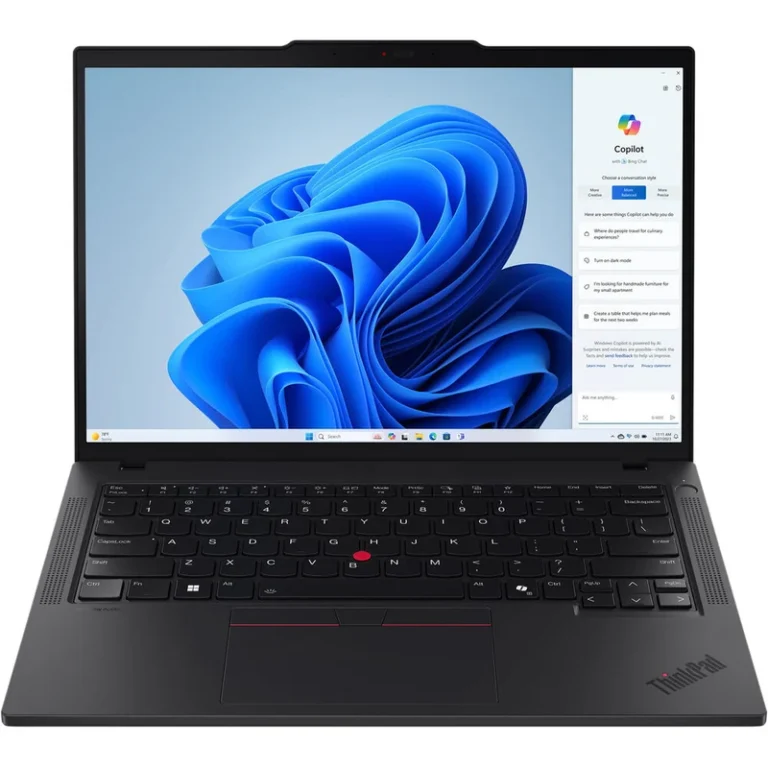
The default choice for many corporate offices, which means there’s a lot of stock. ThinkPads are known for tough builds, excellent keyboards and easy upgrades. Spare parts and repair skills are easy to find around the city.
- T-series: The best all-rounder for students and professionals.
- X-series and X1 Carbon: Lighter and more premium, ideal if you commute daily on the metro or travel often.
- L and E-series: Cheaper business lines that often give you a newer processor for the same money.
Dell Latitude (5000 and 7000 series)
Another corporate favourite. The 5000 series is solid, cool-running and full of ports, perfect for a work-from-home desk. The 7000 series is slimmer and more premium. Dell’s service network across NCR is wide, which makes later repairs easier.
HP EliteBook and ProBook
EliteBooks have aluminium bodies, great speakers and very good microphones, making them a strong pick if you spend your day on calls. ProBooks are more basic but come in larger 15.6-inch sizes, often with a number pad that accountants and data-entry users appreciate.
Apple MacBook Air and MacBook Pro
Apple Silicon MacBooks (the M-series) are hugely popular refurbished buys in Gurgaon, especially among students, designers and startup teams. They’re silent, fast and last all day on battery. Avoid older Intel MacBooks unless you specifically need one, since most are at or near the end of macOS support.
Refurbished gaming laptops
If you game or edit video, gaming laptops with dedicated graphics cards do appear in the refurbished market. They can be great value but carry more risk, because many have been pushed hard. Buy only with a long warranty and after a proper stress test.
Which should you choose?
- Students: ThinkPad T or E series, or a MacBook Air if your course doesn’t need Windows-only software.
- Corporate professionals: Latitude 5000/7000, EliteBook 840 or ThinkPad T-series.
- Daily metro commuters: ThinkPad X-series, X1 Carbon or MacBook Air.
- Startups setting up a team: One model across the whole team, usually a ThinkPad T-series or Latitude 5000, for simpler support and spares.
- Designers and creators: MacBook Air or MacBook Pro with Apple Silicon.
- Gamers: A refurbished gaming laptop with a dedicated GPU and a 12-month warranty.
How to inspect a refurbished laptop before you pay
One of the biggest advantages of buying in Gurgaon is that you can usually check the laptop in person. Don’t waste that advantage. Set aside 20 to 30 minutes and bring a pen drive, your phone charger cable and a pair of earphones.
Step 1: Check the outside
- Open and close the lid ten times. The hinges should feel firm on both sides, with no creaking or wobble.
- Look for cracks near the hinges and corners.
- Turn the laptop over. All screws should be present and the bottom panel should sit flat.
- Press gently around the palm rest and trackpad. If it feels raised or the trackpad clicks strangely, the battery could be swollen, which is a safety risk.
Step 2: Test the screen
Open a plain white image at full screen, then a black one. On white, look for yellow patches, dark spots or lines. On black, look for bright stuck pixels and light leaking from the edges. Slowly tilt the screen back and forth. If it flickers at certain angles, the display cable is damaged.
Step 3: Test the keyboard, trackpad and ports
- Open a free online keyboard tester and press every key.
- Check the keyboard backlight if the laptop has one.
- Click, right-click, scroll and drag on the trackpad.
- Plug your pen drive into every USB port, your earphones into the headphone jack, and test USB-C charging if the laptop supports it.
- Open the camera app, record a short voice clip, and play a song at full volume to check the speakers.
- Connect to Wi-Fi (your phone’s hotspot works) and pair a Bluetooth device.
Step 4: Check battery health
This is where many buyers get caught. Don’t accept “battery is good” as an answer.
- On Windows: Open Command Prompt and type
powercfg /batteryreport. It creates a report showing the battery’s design capacity and its current full charge capacity. Divide the second number by the first. Anything over 80% is healthy. - On a MacBook: Go to System Settings, then Battery, to see maximum capacity. Check the cycle count in System Information under Power.
If battery health is low, ask the seller to fit a new battery before you buy, or negotiate the price down by roughly the cost of one.
Step 5: Check the software and locks
- Windows activation: Open Settings and search for “Activation”. It should say Windows is activated with a digital licence.
- BIOS password: Restart the laptop and enter the BIOS setup. If it asks for a password you weren’t given, don’t buy.
- Company management: Many laptops in Gurgaon come from corporate fleets. If you see “managed by your organisation” anywhere, the laptop may still be tied to its old company.
- MacBook Activation Lock: Make sure no one else’s Apple ID is signed in and that Activation Lock is off. This is non-negotiable.
Step 6: Run it under load
Play a high-resolution video, open a dozen browser tabs and let the laptop run for 15 minutes. Watch for overheating, loud or rattling fans, freezes or sudden shutdowns. If you can, use a free drive-health tool to confirm the SSD reports “Good” health.
Step 7: Get the paperwork right
Before paying, make sure you have:
- A GST invoice from a registered business showing the seller’s name, address and GSTIN
- The laptop’s serial number written on the invoice, matching the sticker on the laptop and the number shown in the BIOS
- The warranty terms in writing, including what’s covered (especially the battery), how long it lasts and where you go for service
- The return or replacement policy in writing
You can also enter the serial number on the manufacturer’s support website. It shows the laptop’s original configuration, so you can confirm the processor and specs match what the seller told you.
Red flags: walk away if you see these
- The seller won’t let you test the laptop or rushes you
- No bill, or a handwritten receipt with no GST number
- Warranty offered only verbally
- Price far below every other shop for the same model
- The laptop is locked to a company, a BIOS password or someone else’s Apple ID
Buying in bulk for a Gurgaon startup or office
Gurgaon has a huge number of startups, small businesses and growing teams, and refurbished laptops are one of the easiest ways for them to save money. Equipping ten people with refurbished business laptops can cost less than half of what new machines would.
If you’re buying for a team, keep these points in mind:
- Standardise on one or two models. It makes setup, spare parts and IT support far simpler. A single model of ThinkPad or Latitude across the team is a common, sensible choice.
- Ask for a bulk price. Most refurbishers offer better rates for larger orders, and many will match RAM and SSD configurations across every unit.
- Get a GST invoice in your company’s name. Registered businesses can usually claim input tax credit on the GST paid, which lowers the effective cost. Check the details with your accountant.
- Ask about on-site support. Some sellers in NCR offer pickup-and-drop service, spare units during repairs, or annual maintenance contracts for business customers.
- Plan the data handover. When laptops move between employees, wipe and reinstall them properly. When you eventually retire them, use a seller or recycler that provides a data-wiping certificate.
Should you rent instead of buy?
Laptop rental is common in Gurgaon, especially for short projects, training batches, events and new joiners.
Renting makes sense when:
- You need laptops for less than about a year
- You’re running a short project, a training batch or an event
- You don’t want to handle repairs, since the rental company usually replaces faulty units
Buying refurbished makes more sense when:
- You’ll use the laptop for more than a year
- You want to own the asset and keep the data fully under your control
- You want the lowest total cost over time
A rough way to decide: add up the monthly rent for the period you need the laptop. If it comes close to the price of a refurbished one, buying is usually the better deal.
Exchanging your old laptop
Many refurbished sellers and local shops in Gurgaon will take your old laptop in exchange. It can knock a useful amount off the price of your new one, and it’s a responsible way to keep an old machine in use.
Before you hand it over:
- Back up everything to an external drive or cloud storage.
- Sign out of all accounts, including your Microsoft or Apple ID, browsers and email.
- Turn off Find My on a MacBook, or remove the device from your Microsoft account on Windows.
- Reset the laptop to factory settings so your files and passwords are fully erased.
If your old laptop is beyond repair, give it to an authorised e-waste recycler rather than throwing it out with household waste. Laptops contain materials that are harmful to the environment and valuable when recovered properly.
Why refurbished is the greener choice
Making a new laptop uses a lot of energy, metals and water, and most of a laptop’s environmental footprint comes from manufacturing, not from using it. Every refurbished laptop that gets a second life means one less new laptop needs to be made. In a fast-growing city like Gurgaon, where companies replace thousands of laptops every year, buying refurbished is one of the simplest ways to cut e-waste without giving anything up.
Frequently asked questions
Is it safe to buy a refurbished laptop in Gurgaon? Yes, as long as you buy from a seller who tests the laptop properly, gives a written warranty and provides a GST invoice. Gurgaon’s large supply of ex-corporate laptops means quality machines are easy to find. The risk comes mainly from sellers who skip testing or won’t put promises in writing.
What’s the difference between a refurbished and a second-hand laptop? A second-hand laptop is sold as-is by its previous owner or a shop. A refurbished laptop has been tested, repaired where needed, cleaned and resold with a warranty. That testing and warranty are what you pay a little extra for.
How much warranty should I expect? A minimum of 6 months, and ideally 12. Always ask whether the battery is covered, since it’s the part most likely to wear out.
Can I get same-day delivery in Gurgaon? Many sellers based in Gurgaon and Delhi NCR offer same-day or next-day delivery within the city, depending on your location and stock. If you’re in a hurry, visiting a store in person is often the fastest option.
Are refurbished MacBooks easily available in Gurgaon? Yes. Apple Silicon MacBook Airs and MacBook Pros are popular refurbished buys in the city. Just check that the MacBook is free of Activation Lock, isn’t enrolled in a company’s device management, and still receives the current macOS.
Can businesses in Gurgaon claim GST on refurbished laptops? Registered businesses can usually claim input tax credit when they buy refurbished laptops with a proper GST invoice in the company’s name. Confirm the details with your accountant.
How long will a refurbished laptop last? A good business-grade refurbished laptop typically gives three to five years of everyday use. The processor generation is the biggest factor, because it decides how long you’ll keep getting security updates. A battery replacement along the way is normal.
Can I upgrade a refurbished laptop later? On most business laptops, yes. RAM and SSD upgrades are common and affordable. Some slim models and all Apple Silicon MacBooks have fixed memory and storage, so choose the right configuration from the start.
Is it better to buy from Gurgaon or from Delhi’s computer markets? Delhi’s markets offer more choice, while buying in Gurgaon makes warranty service and returns much easier. If you live or work in Gurgaon, a local seller with a good warranty is usually the more convenient choice.
Final thoughts
Buying a refurbished laptop in Gurgaon is one of the smartest tech decisions you can make. The city’s corporate offices keep feeding a steady supply of high-quality business laptops into the market, and that gives you access to machines that originally cost two or three times as much.
The key is to be a careful buyer. Choose a seller with a real warranty and a proper GST invoice. Pick a laptop with a processor that’s still supported. Check the battery report, the screen, the ports and the locks before you pay. And use Gurgaon’s biggest advantage, being able to see and test the laptop in person, to your benefit.
Do that, and you’ll walk away with a reliable laptop, a lighter bill and the quiet satisfaction of keeping one more good machine out of a landfill.
Not sure what to spend? Read our guides to the best refurbished laptops under ₹20,000, ₹30,000 and ₹40,000, and our 15-point checklist before buying any refurbished laptop.